How Plait works

Five steps, and none of them take long. Plait is meant to be opened for a moment and put away again.

1

Add someone

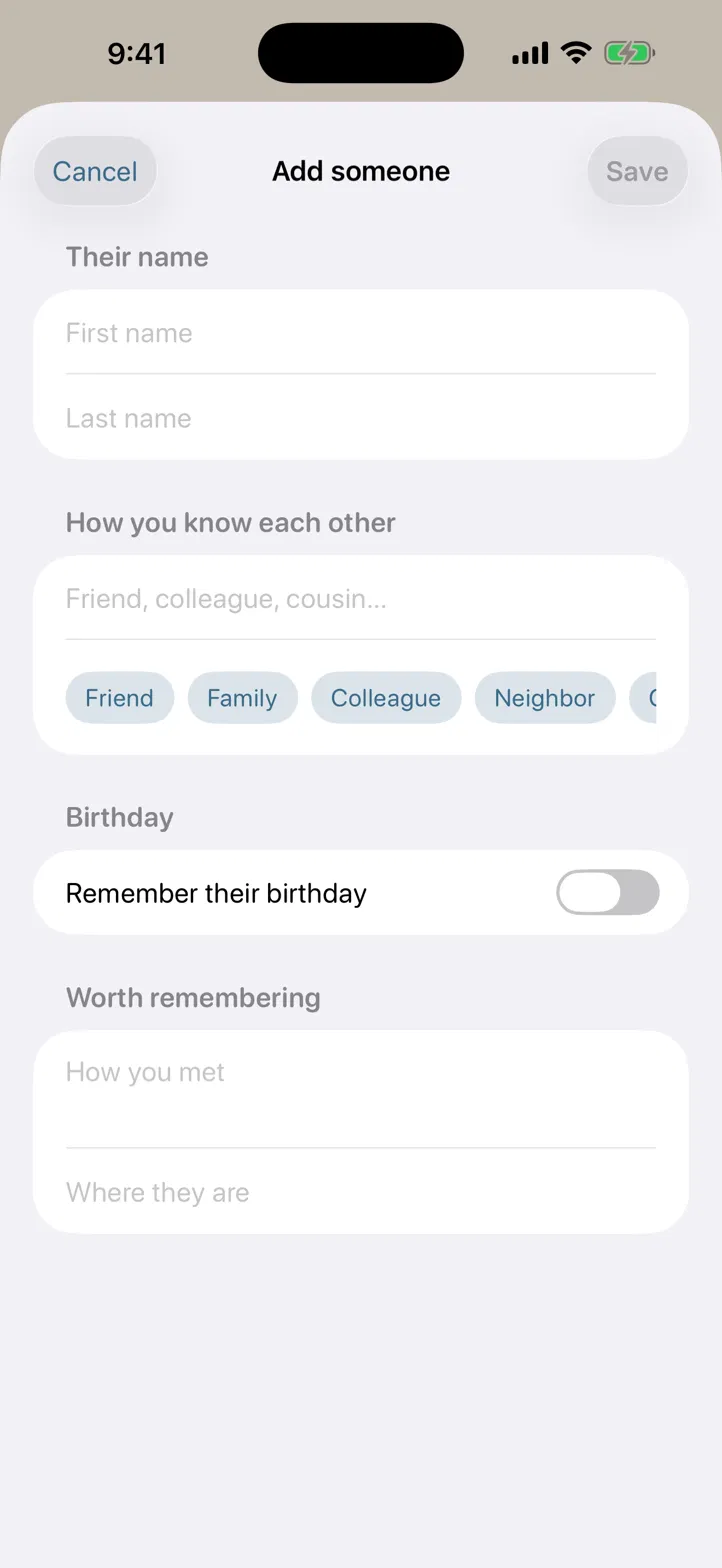
Tap + on the People tab. Type a name, or choose Choose from Contacts to bring someone over from Apple Contacts — one person at a time, and only the name and birthday come across. Whatever you pick opens in the normal form first, so you can see exactly what Plait took before it's saved.

The add-person form in Plait with fields for name, how you know each other, and birthday. Fictional people only.
2

Note a moment

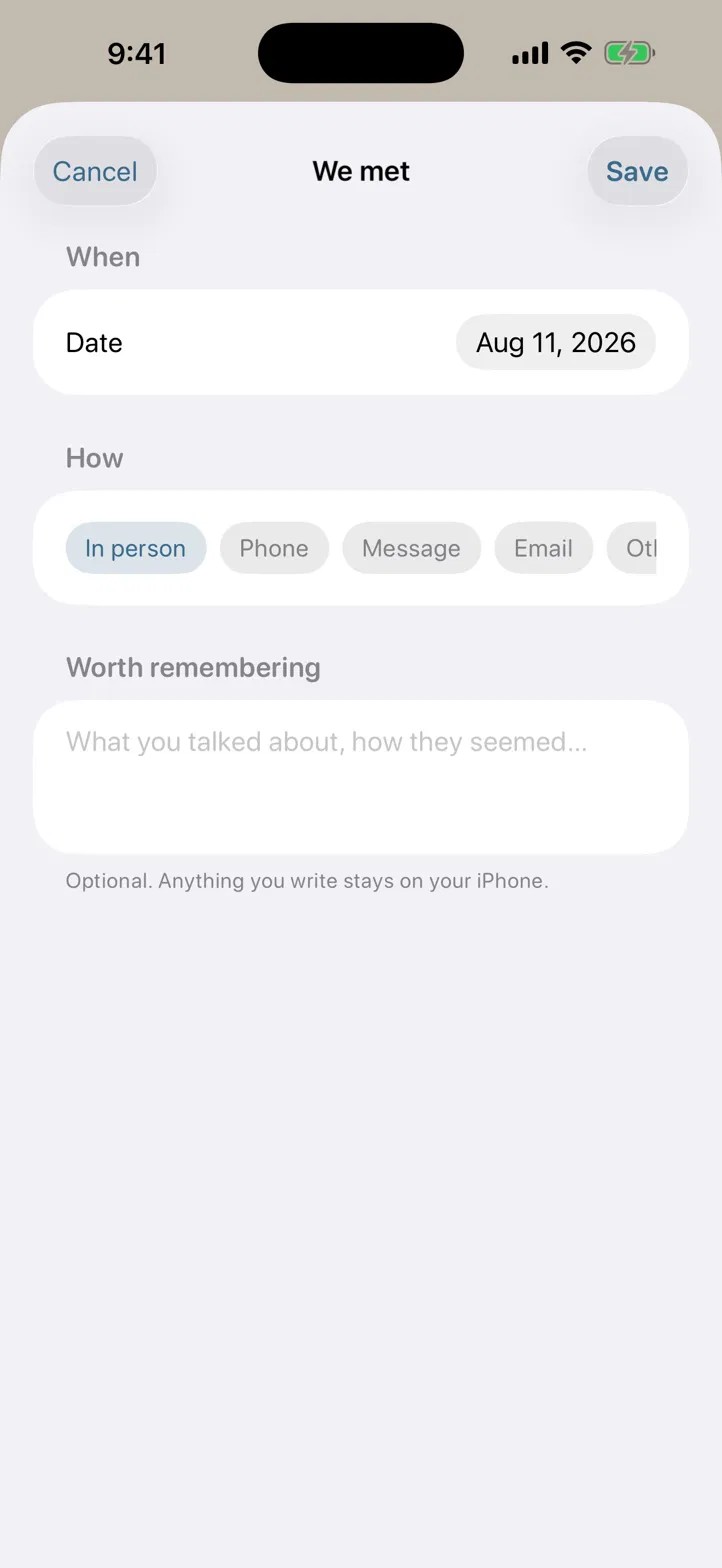
Open their page and tap We met. Pick the day, how you saw them, and write a line or two about what you talked about. The note saves first, before anything else happens to it.

The We met sheet in Plait: a date, a row of ways you might have met, and a short note. Fictional people only.
3

Let it suggest the topics

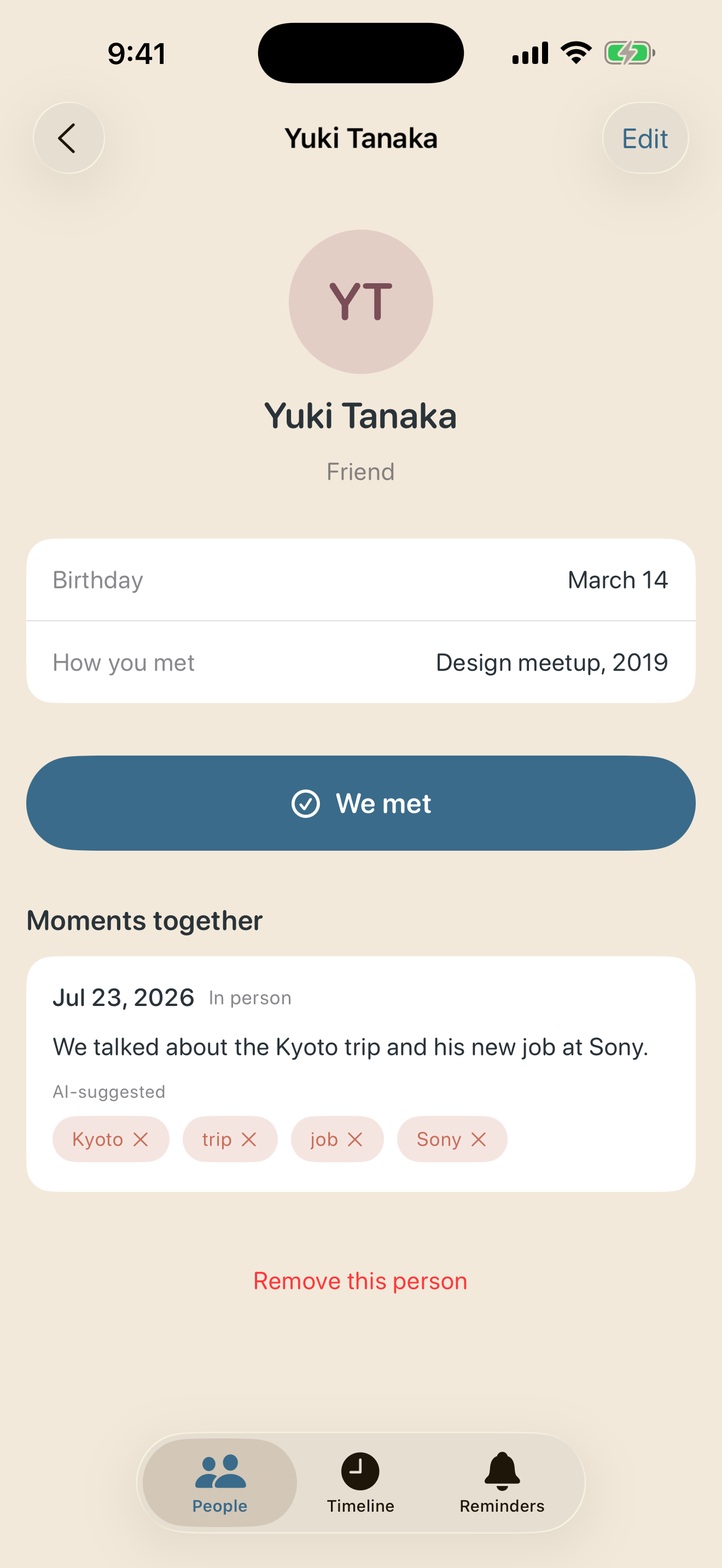
Plait reads your note on the device and suggests what it was about — Kyoto trip, new job, the marathon. Every suggestion is marked as a suggestion and can be removed with one tap. It is a draft, never a fact about someone.

A noted moment with suggested topic tags beneath it, labelled AI-suggested, each with a small remove button. Fictional people only.
4

Take the nudge, or don't

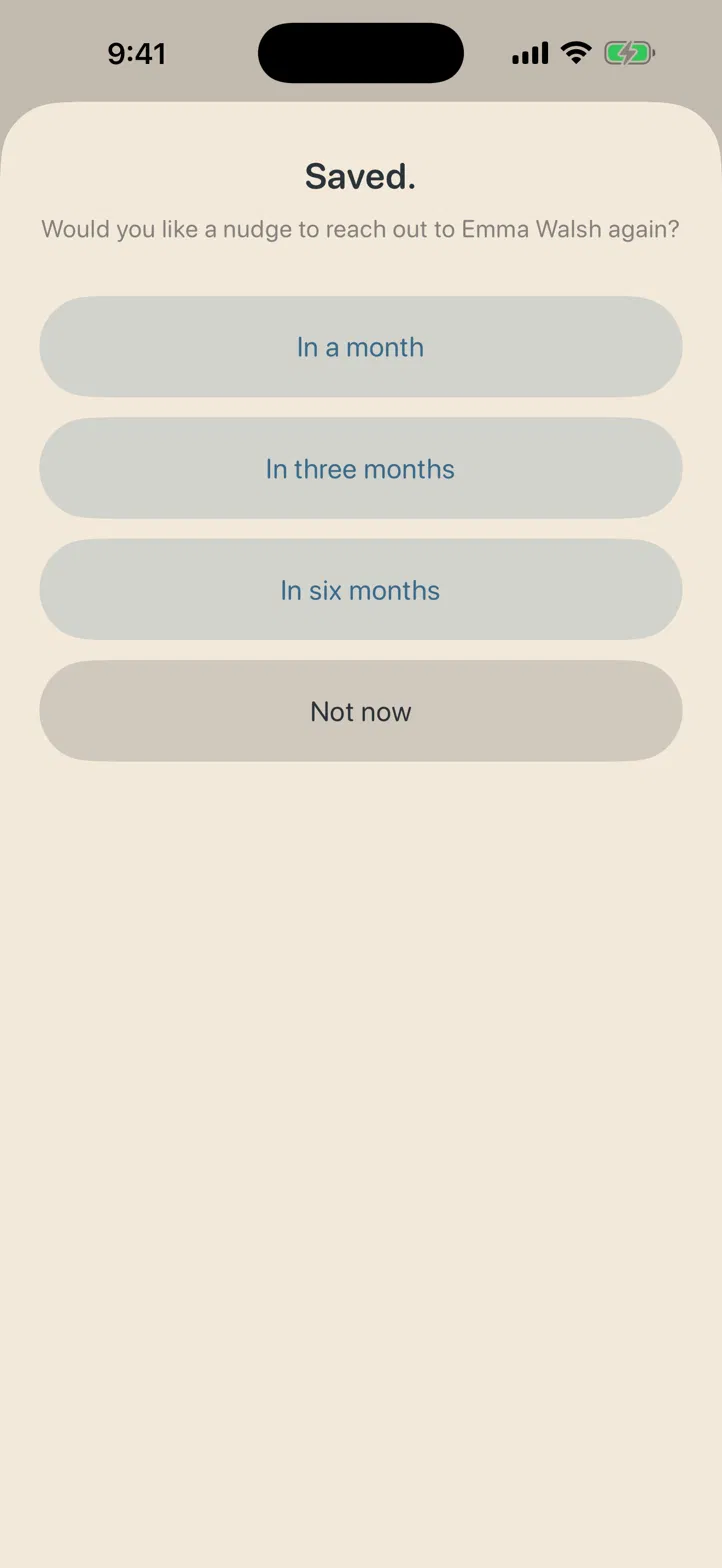
After saving, Plait offers to remind you in a month, three, or six. Not now sits there at the same size, because turning something down shouldn't cost more than accepting it. If you take one, a single quiet notification arrives on the day.

The offer after saving a moment: in a month, in three months, in six months, and Not now — four buttons of identical size. Fictional people only.
5

Take it all with you

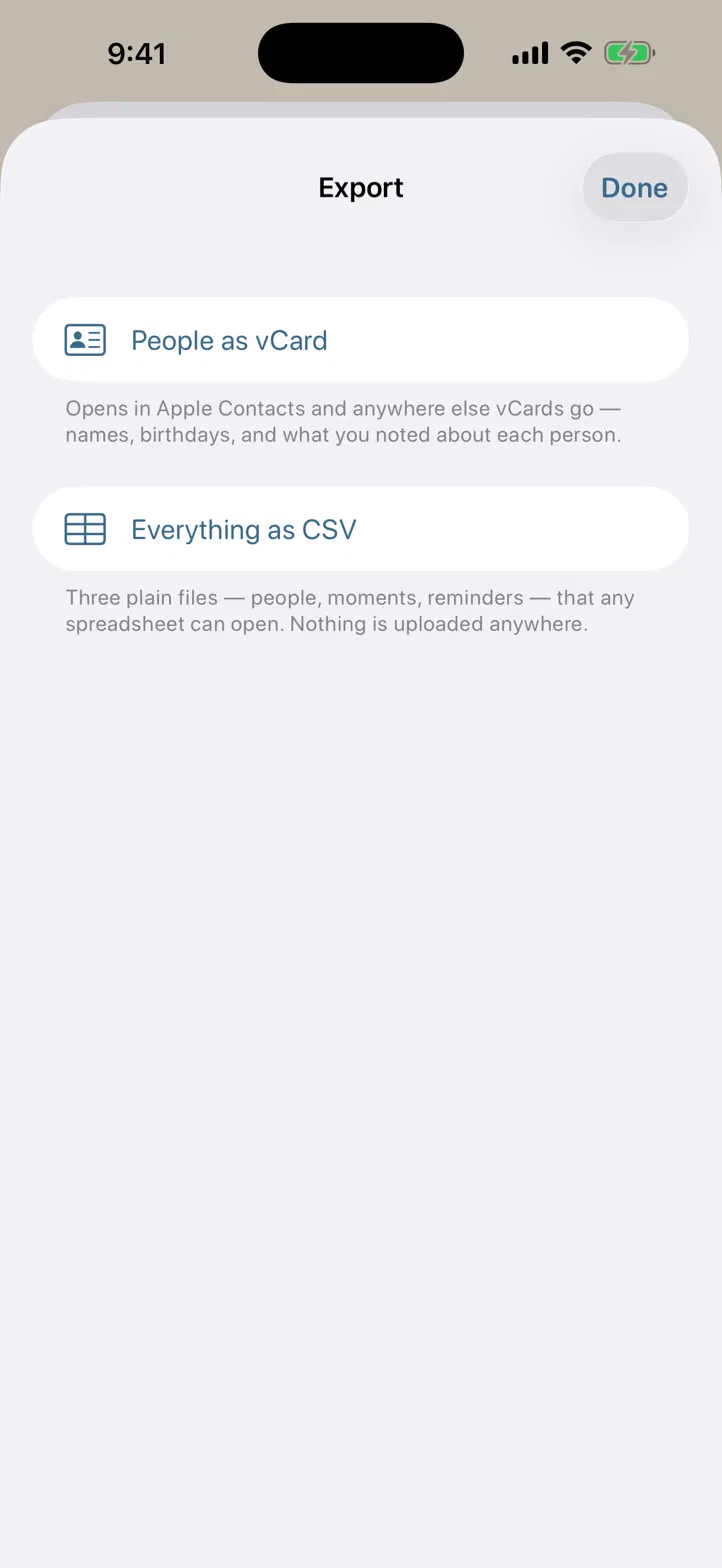
Settings → Export your data gives you a vCard of your people and CSV files of everything. Free, with or without Pro, and nothing is uploaded anywhere — the files are built on your phone and handed to the share sheet.

Plait's export screen offering People as vCard and Everything as CSV, with a note that nothing is uploaded anywhere.

Questions

Does Plait read my contacts?
No — it has no way to. Import uses Apple's own contact picker, which runs outside the app and hands back only the person you chose. That's why Plait never asks for contacts permission. Only the name and birthday are kept; phone numbers, emails and addresses are discarded.
Where is my data?
On your iPhone, and in your own iCloud if you have sync switched on. There are no accounts and no servers of mine. Sync is in the free tier, because privacy shouldn't sit behind a paywall.
What does the free version include?
15 people, 30 moments and 5 reminders, with iCloud sync. Completed reminders don't count against the limit. Plait Pro is $12.99 once and lifts every limit for good, with Family Sharing for up to six people.
Do the topic suggestions leave my phone?
Never. On iOS 26 they come from Apple Intelligence running on the device; on earlier versions, from Apple's on-device language tools. Plait has no backend to send anything to.
Can I lock the app?
Yes, in Settings — with Face ID, Touch ID, or your passcode. It's off unless you turn it on, and Plait locks again whenever it leaves the foreground, so the app switcher never shows your notes.
What kind of notifications will I get?
One, on the day a nudge is due. Nothing beforehand, nothing repeated, and no badge on the icon. They're off until you turn them on, and Plait only asks after you've made your first reminder.